

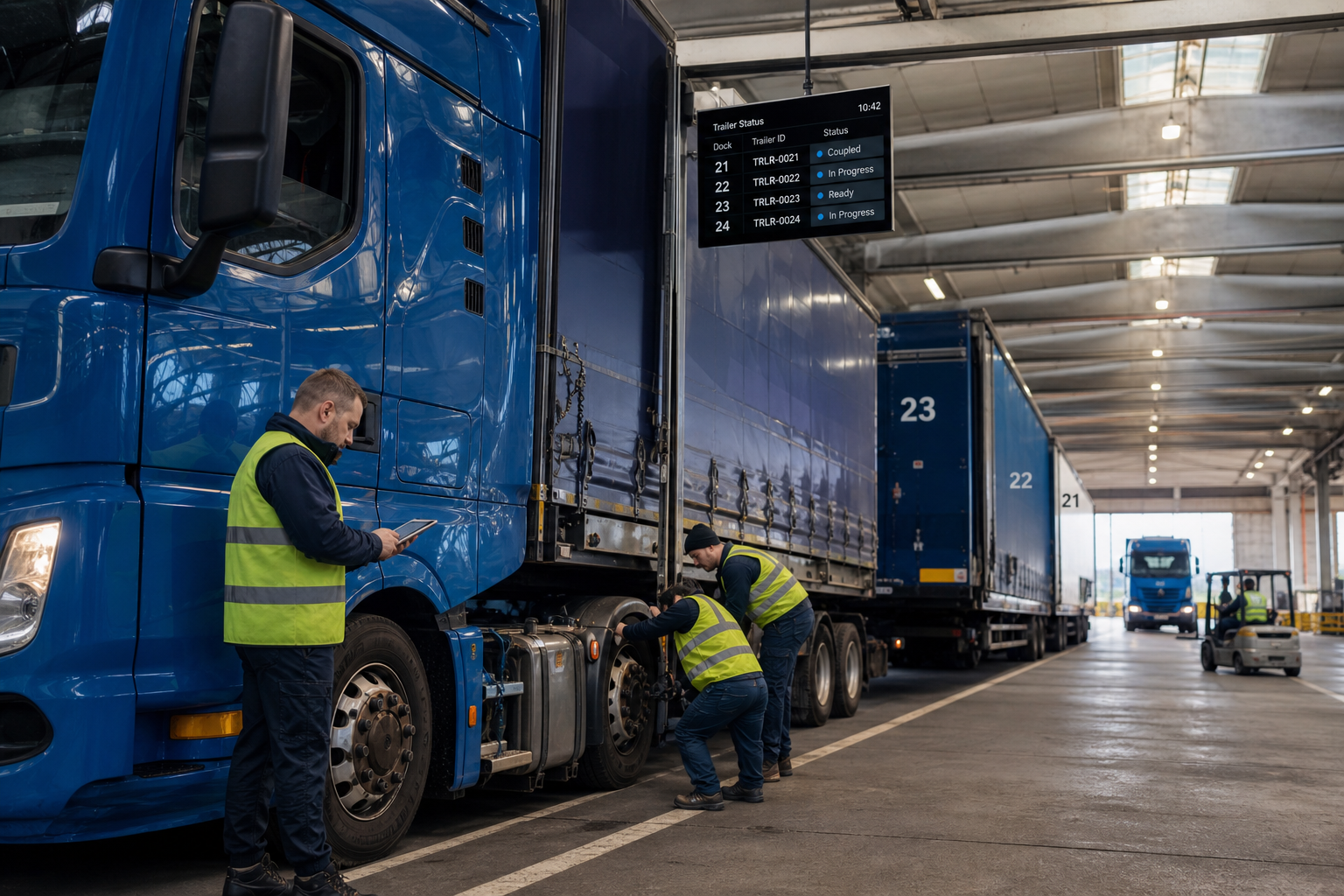
Matching the right truck to the right trailer sounds trivial until you run hundreds of assets across multiple yards, with owned, leased and pooled trailers in the same pool. Then the pairing stops being a fact and becomes an assumption — one that gets typed into a mobile app by a driver in a hurry, and then travels untouched through dispatch, route tracking, billing and compliance reporting.
When that assumption is wrong, nobody finds out at the coupling. They find out at the delivery dock, in an invoice dispute, or during an inspection.
This guide sets out seven steps to move truck and trailer identification from manual entry to verified data — and, just as importantly, where the practical limits of that verification sit.
Quick guide: seven steps to reliable truck-trailer matching
- Audit how pairings are recorded today. Map every touchpoint where a truck-trailer combination is entered, referenced or corrected.
- Define one source of truth for trailer identity. Pick the system that holds the authoritative record, and feed every other system from it.
- Establish what your trailers can actually report. Trailer identity comes from the trailer's braking system. Not every trailer in a mixed pool can supply it.
- Map the electronic identity to your fleet numbering. The bus reports a VIN. Your planners work with fleet numbers. Build the translation table.
- Route coupling data into your telematics platform. Identity, coupling status and disconnect events belong in the same feed as the rest of your vehicle data.
- Build validation rules on top of the data. Compare the reported identity against the dispatched assignment, and decide what the platform does when they differ.
- Review the coupling history and refine the workflow. Patterns in the data point at the yards, shifts and procedures that generate the errors.
1. Audit how pairings are recorded today
Start with documentation, not technology. In most operations the pairing is captured once — a driver selects a trailer number from a dropdown or types it into an app — and every downstream system inherits that single keystroke.
Walk the process from yard departure to delivery and note each point where the pairing is referenced: dispatch, planning, customer reporting, billing, compliance. The value of automated identification is proportional to how many of those points currently trust an unverified entry.
2. Define one source of truth for trailer identity
Errors multiply when systems disagree. The TMS holds one trailer number, the telematics platform another, the maintenance system a third — and reconciling them becomes a monthly administrative exercise.
Before adding any data source, decide which system owns trailer identity and which systems consume it. Automated identification improves a clean data model. It does not repair a fragmented one.
3. Establish what your trailers can actually report
This is the step most guides skip, and it determines everything that follows.
Electronic trailer identity is not painted on the trailer or stored in a tracker. It is transmitted by the trailer's electronic braking system across the trailer CAN connection (ISO 11992), the same physical link that already runs between tractor and trailer. A trailer with a modern EBS/TEBS can report its VIN, its coupling status and a good deal more. A trailer without that electronic architecture cannot identify itself over that link at all — no matter what is fitted on the tractor side.
So before writing a business case, audit the pool:
- Which trailers have EBS/TEBS capable of transmitting identification data?
- Which generation, and does it expose identity as well as brake data?
- Which trailers fall outside that — older assets, specialist bodies, non-EU-built units?
For combinations where trailer-bus identity is unavailable, a Bluetooth beacon pairing method is a recognised alternative. It works differently: it establishes proximity-based pairing between a unit on the trailer and a beacon on the tractor, rather than reading an identity off the bus. That is a legitimate route, but it requires equipment on both sides — it is not a way to make an unequipped trailer identify itself for free.
Being honest about this split at the audit stage is what keeps the rollout on schedule.
4. Map the electronic identity to your fleet numbering
The trailer bus reports a VIN: a 17-character vehicle identification number. Your dispatchers, your customers and your invoices use a fleet number, a licence plate or a customer-specific asset code.
These are not the same thing, and no validation rule works until they are linked. Build and maintain a mapping table — VIN to fleet number — as a first-class part of the fleet master data, not a spreadsheet on someone's desktop. Every new, leased or returned trailer needs an entry.
This is unglamorous work, and it is the single most common reason automated identification projects stall after the hardware is installed.
5. Route coupling data into your telematics platform
Once identity is available on the bus, it needs to reach the system that acts on it. In practice that means three signals, not one:
- Identity — the VIN of each coupled trailer, reported at ignition-on, at ignition-off and on coupling events. In multi-trailer combinations, each unit reports separately, so road trains and EMS combinations can be resolved position by position rather than as a single anonymous tail.
- Coupling status — a straightforward coupled/decoupled state, which is what turns a series of identity reports into a usable utilisation timeline.
- Disconnect events — an immediate notification when a trailer is uncoupled while the ignition is still on, which is the signal that matters most for unplanned separations and yard security.
Each of these carries a timestamp and a location, which is what makes the coupling history reconstructable afterwards.
6. Build validation rules on top of the data
With verified identity flowing in, your platform can compare what is physically coupled against what dispatch assigned, and act on the difference.
The design decision is what "act" means. An alert to the planner is not the same as an alert to the driver, and the timing matters: identity is reported when the ignition is switched on, so a check performed at that moment can catch a mispull before departure — provided the workflow around it is designed for it. A check that only runs when the trip data is uploaded catches the same error hours later, when it has already become a delivery problem.
This logic lives in your telematics platform, your TMS or your own application layer. The data layer supplies the verified fact; the workflow around it determines whether that fact arrives in time to be useful.
7. Review the coupling history and refine the workflow
After a few weeks of automatically recorded couplings, patterns surface: specific yards, specific shifts, specific trailer types that get confused with each other. That is operational intelligence you could not previously access, because the historical record consisted of what drivers had typed.
Use it to change parking layouts, numbering conventions and handover procedures — the causes, rather than the symptoms.
Why do trailer mispulls happen?
Rarely through negligence. Yards are congested, trailers of the same type look identical, and identification often depends on a painted number in poor light. Mixed pools compound it: owned, leased and interchange trailers follow different numbering conventions, and a driver reading a number correctly may still enter it into a list where it means something else.
Manual identification is not unreliable because drivers are careless. It is unreliable because it asks a human to be the sensor.
What data do you actually need?
At minimum: a unique electronic trailer identity, plus a coupling state that confirms the physical connection. That combination is enough to build validation and utilisation on.
The same trailer CAN connection that carries identity also carries condition data, which is why most fleets that solve identification end up extending the scope:
- Axle loads per axle and as a total, plus cargo weight — for load distribution and overload exposure
- Brake lining wear as a percentage per brake, per axle — condition rather than calendar-based brake planning
- Tyre pressure and tyre temperature per tyre, with event-based alerts including air leakage detection
- Trailer odometer, operating hours and service intervals, alongside EBS warning lamp status
Availability of each signal depends on the trailer's EBS architecture and generation, so treat this as a coverage question per asset class rather than a fleet-wide assumption.
Where the data layer fits
Squarell Technology does not supply a trailer dashboard, and does not replace the platform you already run. It supplies the layer underneath: trailer identity, coupling state and condition signals from the trailer bus, normalised into one consistent structured format regardless of which platform consumes it.
That distinction matters for a fleet running mixed trailer brands, and it matters even more for a telematics service provider whose customers run mixed trailer brands. The alternative is maintaining a separate integration per trailer EBS supplier and per generation, indefinitely.
How it works: trailer bus data is read through a trailer-side unit and delivered to the tractor's telematics device over the existing connection, using a single documented output protocol. Signal availability per trailer depends on EBS architecture and integration path — coverage is confirmed per vehicle and trailer type before deployment.
FAQs
What is a trailer mispull? Coupling to a trailer other than the one assigned. The immediate consequence is a wrong record in dispatch; the downstream consequences are billing errors, inaccurate customer reporting and gaps in the compliance trail.
Can automated trailer identification work with older trailers? It depends on the trailer's braking system. Electronic identity is transmitted by the trailer EBS over the trailer CAN link, so trailers without that architecture cannot report a VIN over it. For those assets, a beacon-based pairing method is the practical route, and it requires equipment on the trailer as well as the tractor. Any supplier claiming identification on an unequipped legacy trailer with nothing added is describing something else.
When does the identification reach my platform? Identity is reported at ignition-on, at ignition-off and on coupling events, and forwarded by your telematics device according to your communication settings. Whether that is fast enough to stop a mispull before departure depends on where the check sits in your workflow — which is why step 6 is a design decision, not a switch.
Do I need separate devices for identification and condition monitoring? No. Identity, brake, tyre, axle load and diagnostic data come from the same trailer bus and are delivered through the same output. Identification alone is a lighter configuration if that is all you need.
How many trailers can be identified in one combination? Up to five, each reporting separately — which is what makes the approach usable for road trains and longer combination vehicles rather than only for single semi-trailers.
How does verified matching improve billing accuracy? It removes the manual confirmation step from the chain. When the coupling record is derived from what was physically connected rather than what was selected on a screen, invoicing and customer reporting can be reconciled against an evidenced history. The accuracy gain comes from your billing process consuming better data — the data layer supplies the evidence, not the invoice.
Considering trailer data as part of your platform or fleet operation? Coverage depends on trailer type, EBS architecture and integration path. Talk to a Squarell Technology specialist to have your specific trailer pool assessed.
Leave Your Comment Here